Ship while you sleep.
Agentum is the ADE. Design and run autonomous engineering pipelines on infrastructure you own. A spec goes in. A PR comes out.
Design the pipeline. Let it run.
Agentum gives you the building blocks to assemble an autonomous engineering pipeline. You define how the phases connect — Agentum runs them, watches them, and keeps them going on your infrastructure.
Spec. Build. Review. Ship.
Agentum runs the full engineering cycle on a host you own. Each phase is autonomous — no human relay between spec and PR. Close the lid and come back to merged code.
Every major coding agent, one harness.
Claude, Codex, Gemini, Cursor, Hermes, OpenCode, Aider — Agentum probes what's installed and assigns each phase to the right tool. The harness handles orchestration so no agent needs to know about the others.
Atomic task handoff. No collisions.
An atomic-claim kanban every agent in the pipeline can see. One phase finishes and drops the card; the next claims it — first claim wins, the rest get a 409. No two agents ever work the same task.
Run the ADE anywhere. Switch in a keystroke.
Save your local machine, a VPS, or a homelab as profiles — each with its own TLS trust-on-first-use and token. The ADE runs wherever you point it; swap targets from the TUI (Ctrl-S) or the app.
Watch the autonomous loop, live.
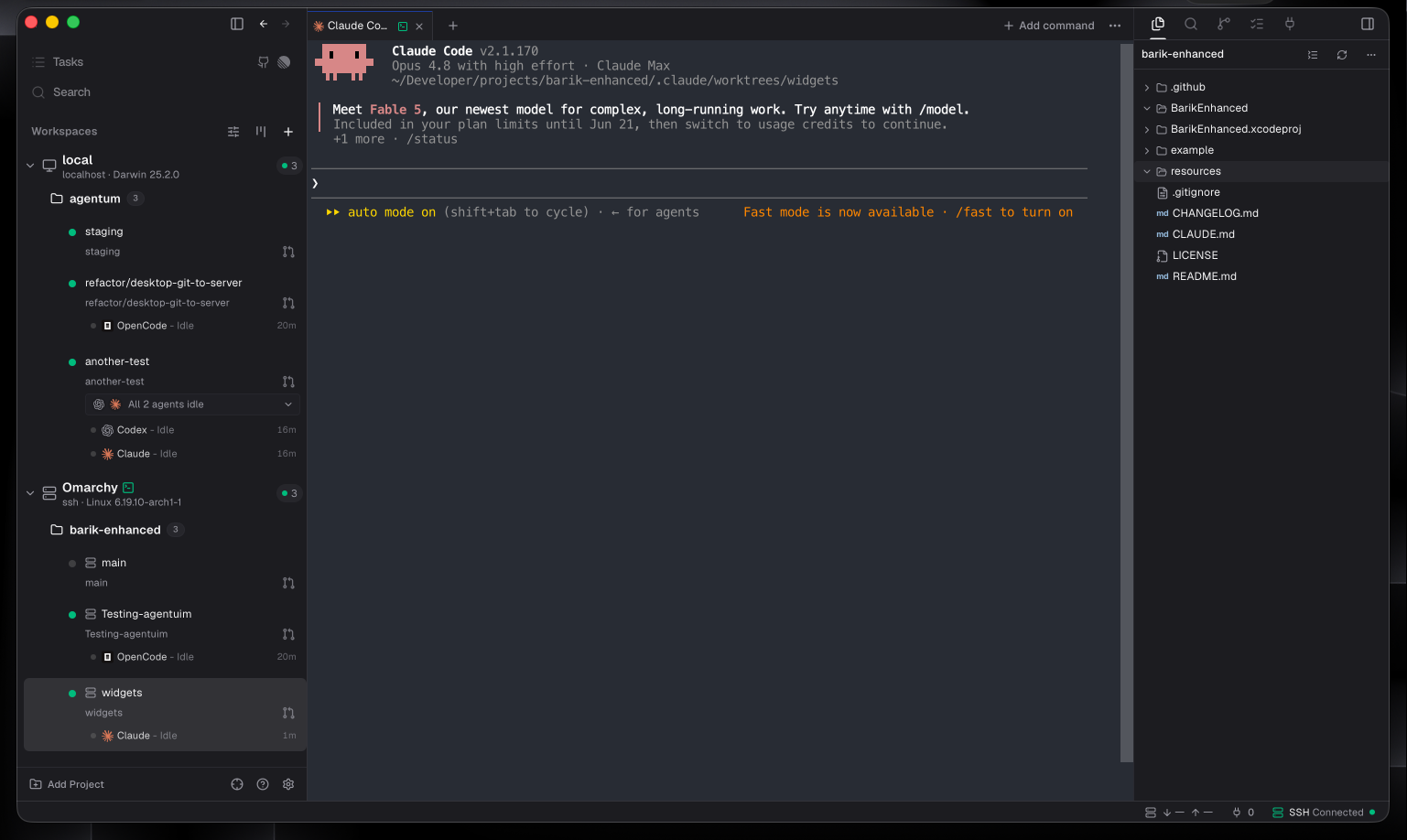
Every pipeline phase across your local machine and remote hosts in one view — running, waiting, crashed. See exactly where your ADE is in the spec → build → review cycle without touching a terminal.
See the architecture →Two ways to run it.
Start with the desktop app — the full agent environment. Keyboard-first? It ships a daemon, a fast TUI, and a complete CLI too.
The agent environment, native.
Workspaces, the board, channels, and live agent terminals — one app on Windows, macOS & Linux. The fastest way in.
Your ADE.
Your infrastructure.
One install. Point it at any host you own. Build your autonomous development pipeline and let it run.